

Product
What a prompt manager does
A prompt manager is a private library for the prompts you keep rewriting. iSavePrompts stores them once, keeps them organized, and puts them one click from your clipboard — whichever AI tool you paste them into.
Why not a notes app or a spreadsheet?
Notes and spreadsheets can hold prompt text, but they do not know what a prompt is. iSavePrompts does: every saved prompt keeps its AI source, a type, a Topic, tags, a copy count, and — on the Pro plan — a full version history. When you need “that launch-email prompt from last month”, you search once instead of scrolling through documents.
The library is tool-agnostic on purpose. Save prompts you use in ChatGPT, Claude, Gemini, or anything else, and copy them into whichever tool you are working in today.
The library at a glance
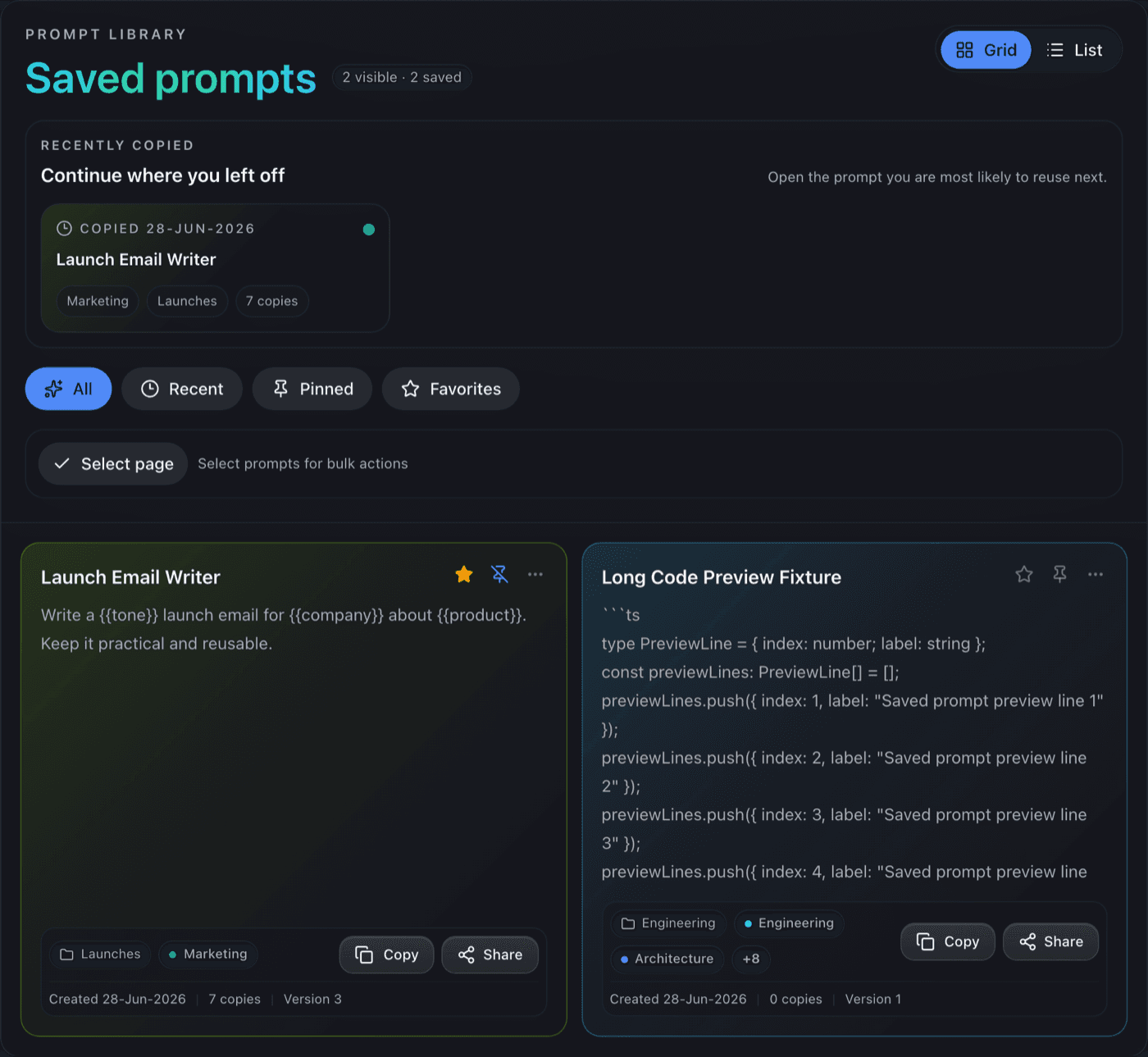
Everything a working library needs
Save without friction
Paste a Prompt and save it with a title, source, Topic, and tags. A duplicate check warns you before you save the same Prompt twice.
Organize two ways
Topics group Prompts by project or client; colored tags cut across Topics. Favorites and pins keep the daily drivers on top.
Copy that tracks reuse
Copy puts the exact saved text on your clipboard and counts the copy, so the library learns which prompts earn their place.
Share deliberately
Share a prompt with a link when a teammate needs it. Private prompts stay private — sharing is always an explicit choice.
Never lose work
Archive retires a prompt without deleting it, Trash holds deletions until you empty it, and Restore undoes both.
Grows when you do
Pro adds prompt analytics, priority sync, and Prompt Sources — notes, links, PDFs, and images attached to a prompt.
Where to go next
New to saving prompts? Start with the saving guide, then the organizing guide. If a prompt needs its supporting material beside it, read about Prompt Sources, and see pricing for what Free includes.
Start your prompt library
Free includes unlimited Prompts, Topics, and tags, with sharing, invites, and recovery tools. No card required.